A to-do list on your browser start page
Your list is the first thing you see when you open the browser, so it gets done instead of sitting in another app.
Start your deck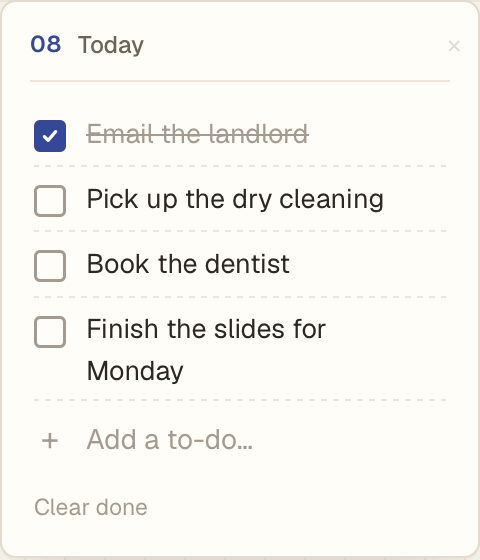
How it works
- Name the list. Today, Groceries, Work, whatever it's for.
- Add a to-do. Type it and press Return.
- Tick it off. Done items stay crossed out until you click Clear done.
One big thing first
Next to the list you can keep one big thing for today, the task that would make the day a win. If you don't finish it, it carries over to tomorrow.
Questions
Is it free?
Yes. One to-do list is free. Washi Pro lets you add more lists, for $12 once.
Do I need an account?
No. Your list is saved in your browser. Make an account only if you want it on more than one device.
Does it work on iPhone?
Yes. Add Washi Deck to your Home Screen and sign in with the same phrase to see the same list.